How to Create a UPI ID Online: Easy Steps for Beginners

Digital payments have become an essential part of everyday life. Whether you are paying for groceries, transferring money to a friend, or shopping online, UPI makes every transaction fast and convenient. To use this payment system, you first need a UPI ID.
But, how do you create a UPI ID online?
Here is everything you need to know about the UPI ID creation process.
What is a UPI ID?
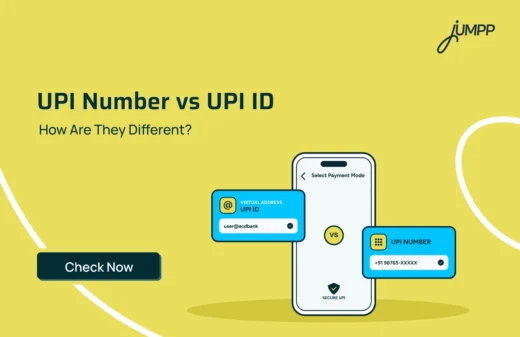
A UPI ID, or Unified Payments Interface ID, is a unique virtual payment address that allows you to send and receive money without sharing your bank account number or IFSC code.
It acts as your digital payment identity and is linked to your bank account. Instead of entering lengthy banking details, you simply use your UPI ID to complete transactions securely.
A UPI ID is also known as a Virtual Payment Address (VPA).
For example, if someone wants to send you money, they only need your UPI ID instead of your account number.
Key Features of a UPI ID
- Links directly to your bank account: Every UPI ID is connected to a bank account, allowing you to make and receive payments securely.
- Enables instant money transfers: Send and receive money in real time without waiting for banking hours.
- Protects your banking details: You can make payments without sharing your account number or IFSC code.
- Secures transactions with a UPI PIN: Every payment requires authentication using your confidential UPI PIN.
- Works 24×7: Make digital payments anytime, including weekends and bank holidays.
UPI ID Example
A UPI ID usually consists of a username followed by a unique handle provided by the bank or UPI app.
| UPI ID Example | Description |
| rohit@okaxis | Linked through an Axis Bank-supported UPI handle |
| priya@ybl | Created using a UPI app that uses the @ybl handle |
| amit@ibl | Linked through an IndusInd Bank UPI handle |
| 9876543210@upi | Mobile number-based UPI ID supported by some apps |
The format of a UPI ID may vary depending on the UPI-enabled app or bank you use. While the handle may differ, the purpose remains the same, allowing you to send and receive money instantly.
UPI ID Creation Process
The UPI ID creation process is quick and completely digital. Although the exact screens may differ from one app to another, the overall process remains similar.
- Download a UPI-enabled app: Install a trusted UPI app on your smartphone.
- Register using your mobile number: Use the mobile number linked to your bank account.
- Link your bank account: Select the bank account you want to use for UPI transactions.
- Complete SIM verification: Verify your registered mobile number to confirm ownership of the bank account.
- Set your UPI PIN: Create a secure UPI PIN to authorise future transactions.
- Start using UPI: Once the setup is complete, you can send and receive money instantly.
On jUMPP, this process begins by tapping Pay, selecting Start Your UPI Journey, linking your bank account, and completing the verification process.
How to Activate UPI on jUMPP
Activating UPI on jUMPP is simple and takes only a few minutes. Before you begin, ensure that the mobile number registered with your bank is active and that the same SIM card is inserted in your phone for verification.
Follow these steps to activate jUMPP UPI.
- Open the jUMPP app and log in.
- Tap Pay at the bottom of the screen.
- Tap Start Your UPI Journey.
- Tap Bank Account, then select the bank account you want to link. Ensure the SIM inserted in your phone uses the same mobile number that is registered with your bank, as it will be used for verification.
- Verify your mobile number
- Once the verification is successful, your jUMPP UPI will be activated.

How to Create Your UPI ID on jUMPP
Once your UPI is activated, jUMPP automatically generates a UPI ID in the format <mobile_number>@jpyes.
For example, if your registered mobile number is 9815737277, your UPI ID will be 9815737277@jpyes. This UPI ID is generated automatically and cannot be changed or customised.
How to Find Your UPI ID on jUMPP
Follow these general steps to find your UPI ID –
- Open the jUMPP app and log in.
- Tap Pay at the bottom of the screen.
- On the Pay screen, you’ll see your UPI ID displayed just above the Scan & Pay option.
How to Change UPI ID
Many UPI apps allow users to create or switch between multiple UPI IDs linked to the same bank account. This helps users maintain separate UPI IDs for personal and business transactions or use different UPI handles.
To change or add another UPI ID on supported apps:
- Open your UPI app.
- Navigate to Profile or Manage UPI IDs.
- Select the option to create or manage UPI IDs.
- Choose or create another available UPI ID.
- Save your changes and use the preferred UPI ID for future transactions.
Note: jUMPP currently does not allow users to change an existing UPI ID.
What Payment Modes are Available through jUMPP UPI?
You can send money using any of the following payment modes:
- Mobile Number – Transfer money to a recipient’s mobile number linked to UPI.
- UPI ID – Send money directly to a UPI ID (e.g., someone@bank).
- UPI Number – Transfer money using the recipient’s UPI number.
- Bank Account – Send money using the recipient’s account number and IFSC code.
- Self Transfer – Move money between your own linked bank accounts.
Common Issues While Creating a UPI ID
Although creating a UPI ID is usually simple, you may occasionally face issues during the setup process.
- Mobile number not linked to the bank account: Ensure the mobile number registered with your bank is the same one used for verification.
- SIM verification failed: Keep the registered SIM inserted in your phone and allow the required permissions for successful verification.
- OTP not received: Check your network connection and ensure your registered mobile number is active.
- Bank account not detected: Verify that your bank supports UPI services and is linked to your registered mobile number.
- Bank server unavailable: Sometimes, banks experience temporary server issues. Wait for some time and try again later.
Benefits of Using a UPI ID
A UPI ID simplifies digital payments while offering speed, convenience, and security. Here are some of its key benefits.
- Instant Money Transfers: UPI enables real-time fund transfers between bank accounts without waiting for banking hours.
- No Need to Share Bank Details: You only need to share your UPI ID instead of your account number and IFSC code, helping keep your banking information private.
- Secure Transactions: Every payment requires authentication using your UPI PIN, adding an extra layer of security.
- 24×7 Availability: UPI services are available round the clock, making it easy to transfer money anytime.
- Supports Multiple Bank Accounts: Many UPI apps allow users to link more than one bank account and choose a default account for transactions.
- Accepted Across India: You can use your UPI ID to pay merchants, shop online, pay utility bills, recharge your mobile, and transfer money to family and friends.
Tips to Keep Your UPI ID Secure
Using a UPI ID is safe, but following a few security practices can help protect your account and transactions.
- Keep your UPI PIN confidential: Never share your UPI PIN with anyone, including bank representatives.
- Verify the recipient before paying: Double-check the recipient’s UPI ID and name before confirming a transaction.
- Use trusted UPI apps: Download UPI apps only from official app stores.
- Avoid suspicious links: Never click on unknown payment links or QR codes shared by unverified sources.
- Enable screen lock: Protect your phone with a PIN, password, fingerprint, or face authentication.
- Monitor your transactions: Regularly review your transaction history and report any unauthorised activity immediately.
Conclusion
A UPI ID makes digital payments simple, secure, and convenient by allowing you to send and receive money without sharing your bank account details. Whether you want to transfer funds, pay bills, or shop online, creating a UPI ID only takes a few minutes.
If you are using jUMPP, you can activate UPI by linking your bank account, completing the verification process, and starting your UPI journey directly from the app. Once activated, you can enjoy fast and secure digital payments whenever you need them.
FAQs
A UPI ID is a unique virtual payment address linked to the bank account that allows you to send and receive money without sharing your account number or IFSC code.
Download a UPI-enabled app, register using your bank-linked mobile number, link your bank account, complete verification, and set your UPI PIN to start using your UPI ID.
Yes. You can create a UPI ID online through any UPI-enabled app without visiting a bank branch.
Open your UPI app, go to Profile, Bank Accounts, or UPI Settings, and select your linked bank account to view your UPI ID.
Some UPI apps allow users to create or switch between multiple UPI IDs. However, jUMPP currently does not support changing an existing UPI ID.
Yes. Many UPI apps allow multiple UPI IDs linked to one or more bank accounts, depending on the app’s features.
Yes. jUMPP allows you to link more than one bank account and choose a default account for UPI transactions.
Yes. jUMPP UPI follows NPCI guidelines and uses secure encryption protocols. Every transaction is authenticated using your UPI PIN.
Your UPI ID may not work due to SIM verification issues, an unlinked mobile number, temporary bank server problems, or network-related issues. Verify your account details and try again later.
Yes. If your mobile number is registered with multiple bank accounts, many UPI apps allow you to link those accounts and choose the one you want to use for transactions.