How to Check Aadhaar Update Status- Online, SMS, and Call Methods
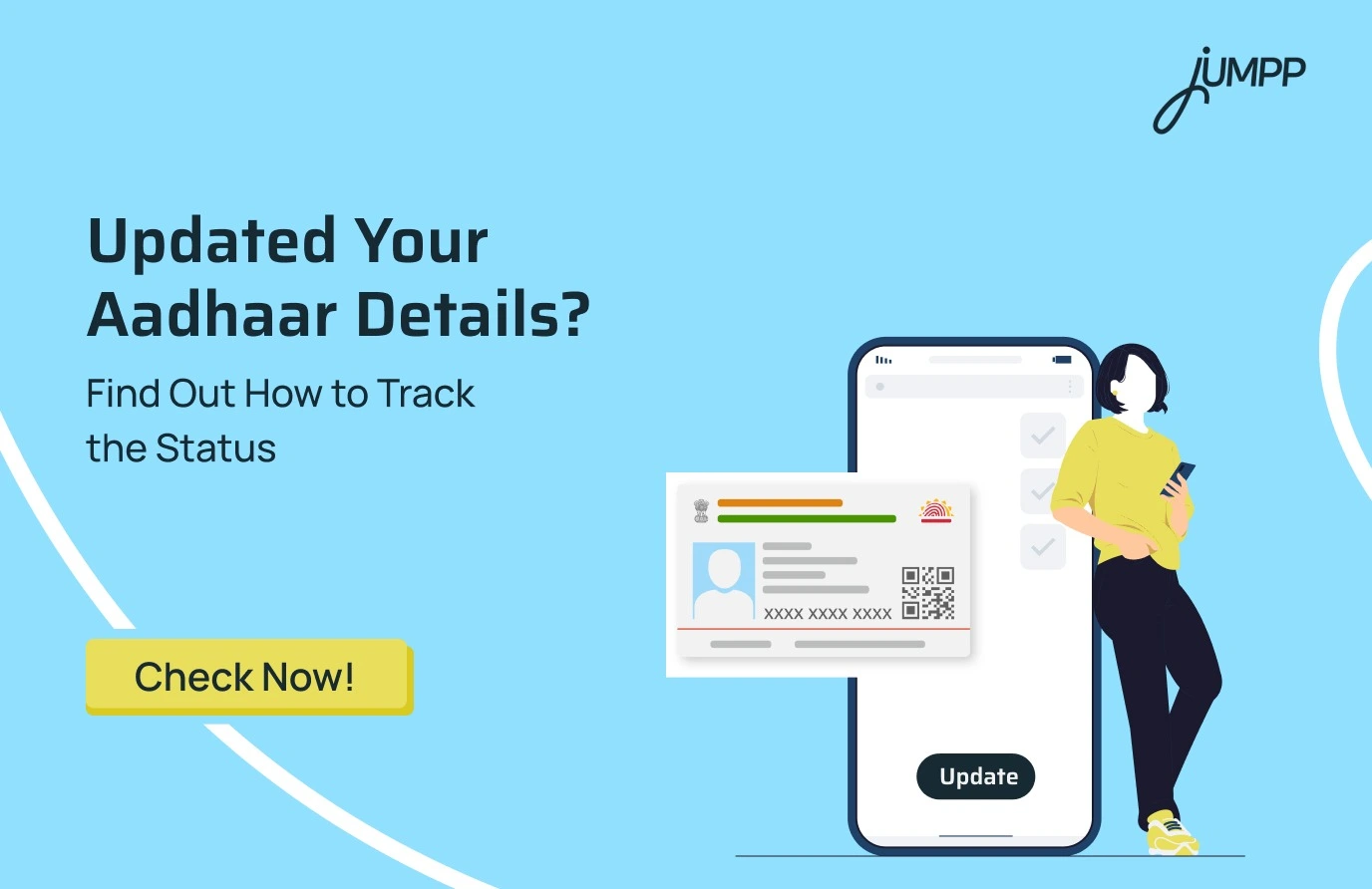
If you have recently requested a correction in your Aadhaar details, it is important to know how to check Aadhaar update status. Whether you want to check Aadhaar update status online or use Aadhaar card tracking, UIDAI offers multiple ways to track progress. This guide explains how to check the Aadhar card update status using simple online and offline methods.
How to Check Aadhaar Update Status Online
You can check the status online through the official portal of Unique Identification Authority of India (UIDAI), via SMS, or by calling.
Start your banking journey with an account that does not require maintaining a balance. Open a zero-balance savings account online.
How to Check Aadhaar Update Status via UIDAI
1. Visit the official myAadhaar portal.
2. Click on Check Aadhaar Update Status.
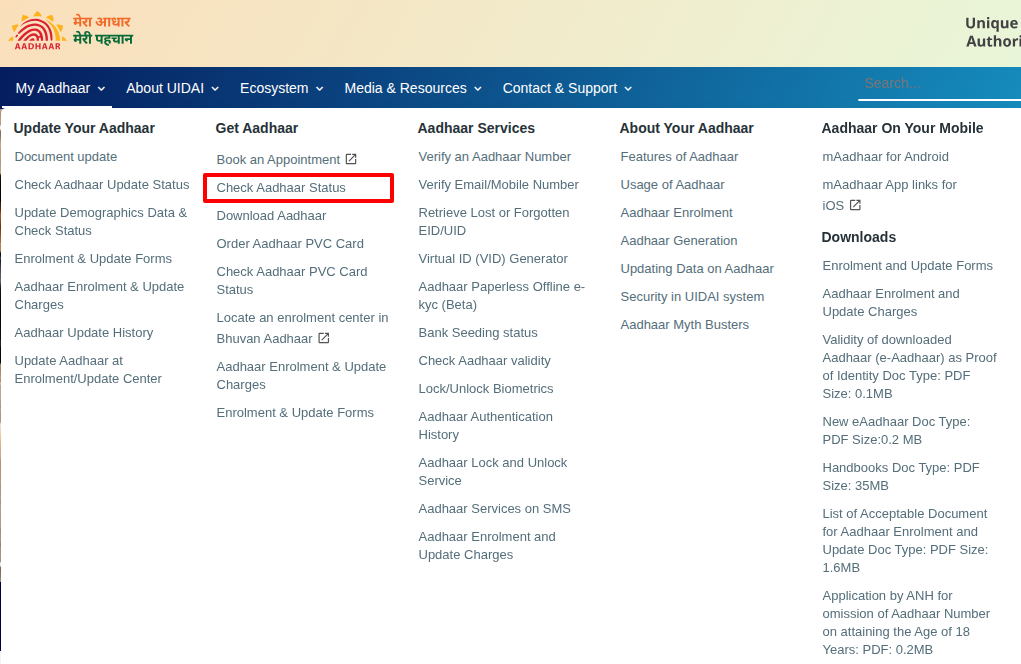
3. Enter any one of the following:
- Service Request Number (SRN) or Update Request Number (URN) for updates done online or at Aadhaar Seva Kendra.
- Enrolment ID (EID), which is a 28-digit number printed on your acknowledgement slip.
- Enter the captcha code.
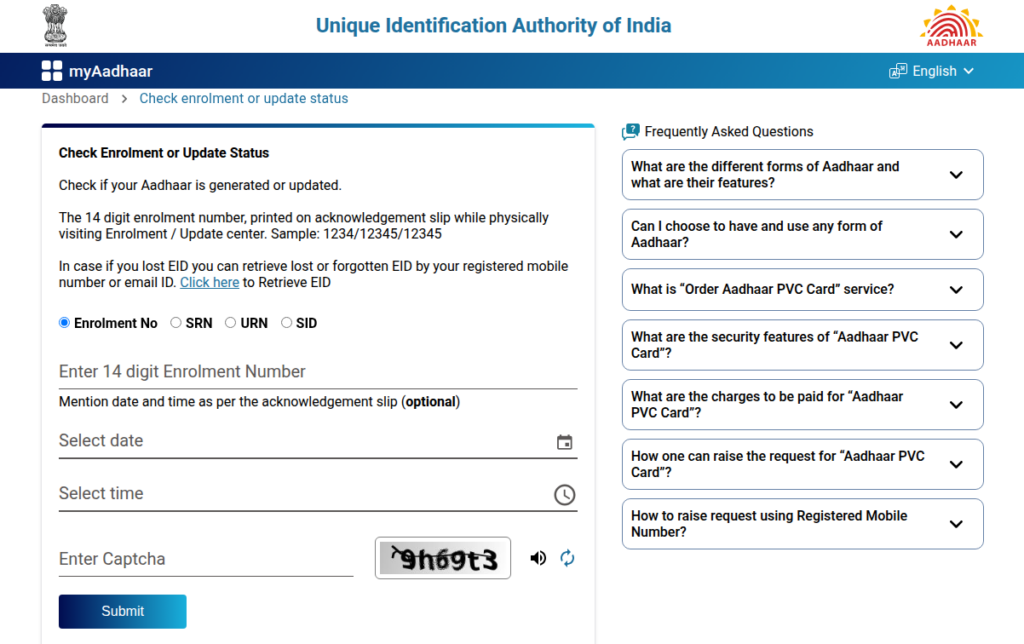
4. Click on Submit to view the current status.
The status will show whether your request is under process, pending verification, or successfully updated.
How to Check Aadhaar Update Status via Mobile (SMS)
If you prefer checking via mobile, you can use the SMS facility.
- Type the message: UID STATUS < 14-digit Enrolment Number>
- Send it to 51969.
- You will receive an SMS with the current update status.
How to Check Aadhaar Update Status by Calling UIDAI
You can also check the status by calling the UIDAI helpline.
- Dial the toll-free number 1947.
- Follow the IVR instructions.
- Enter your Enrolment ID or SRN when prompted.
If you have recently changed your address, refer to our detailed guide on how to check Aadhaar card address update status to complete the process correctly.
Understanding Key Numbers Used for Aadhaar Card Update Check
If you want to check your Aadhaar card status, you must know these numbers properly.
- Enrolment ID (EID): A 28-digit number consisting of a 14-digit enrolment number and a 14-digit date and time.
- SRN (Service Request Number): A 14-digit number provided when you update Aadhaar details at an Aadhaar Seva Kendra.
- URN (Update Request Number): A 14-digit number generated for online Aadhaar updates.
What to Do After Aadhaar Is Updated
Once the status shows “Update Successful,” you can download your updated e-Aadhaar from the myAadhaar portal and use it as a valid identity document.
This process ensures transparency and allows you to track your Aadhaar update without visiting any office repeatedly, saving both time and effort.
Checking your Aadhaar update status ensures your personal details are accurate and up to date in official records.
Linking your PAN card with your bank account is essential for smooth financial transactions and tax compliance. If you have not completed it yet, check our detailed guide on how to link PAN card with your bank account and avoid future restrictions.
Disclaimer– The rankings and figures in this article have been compiled from multiple verified reports, credible news sources, and public financial data available as of 2026.
All values are approximate and may vary with newer updates, revisions, or changes in official records.
Aadhaar Card Tracking – FAQs
Most Aadhaar updates are completed within 30 days, although many requests are processed sooner. In rare cases, updates may take up to 90 days, depending on verification requirements.
Aadhaar update is available online only for address changes and document updates. Other updates, such as mobile number, photograph, or biometrics, require an in-person visit.
Updated Aadhaar can be downloaded once the update status shows completed. The downloaded copy is available as a secure PDF after OTP verification.
Updated Aadhaar details are visible digitally once the update is approved. The refreshed information appears in the Aadhaar profile and linked digital services.
The Aadhaar PDF is password-protected for security purposes. The password consists of the first four letters of the name in capital letters, followed by the year of birth.
Aadhaar update history displays all previous changes made to the Aadhaar record. This history can be saved as a PDF after accessing the update history section.
There is no official loan scheme that provides a ₹2000 loan solely on the basis of Aadhaar. Such claims are usually misleading and should be treated with caution.
The Aadhaar update form is available in a downloadable format for different age groups. It is used for submitting update requests at authorised centres.