How to Update Address in Aadhaar Card Online and Offline: Documents & Fees Structure
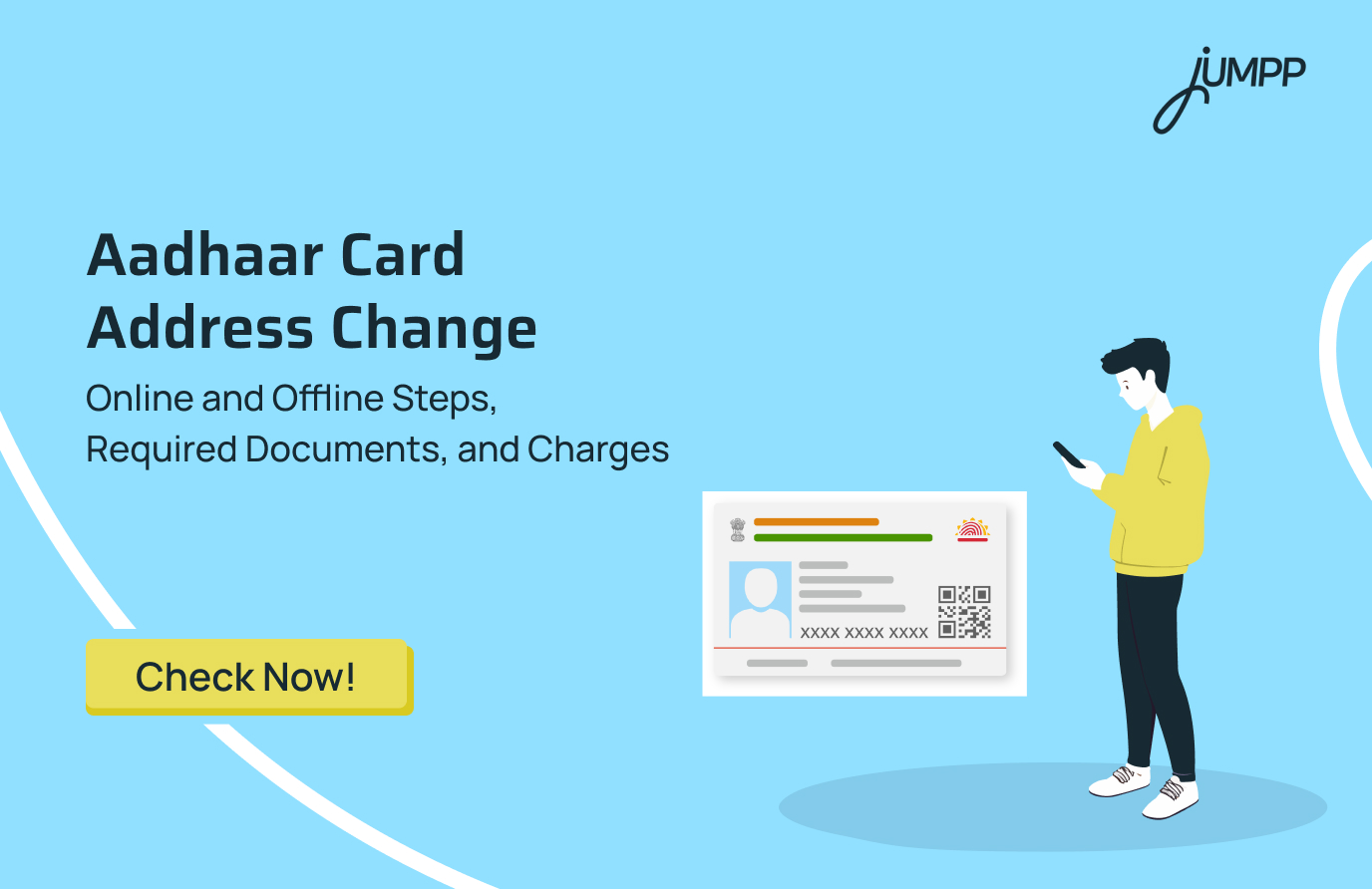
An Aadhaar address becomes outdated when you shift house, change jobs, get married, or even stay on rent for a few years. When that mismatch starts affecting bank work, KYC, or official forms, the need arises to update the address in aadhaar car online or offline.
In this blog, you can check the steps to update the address in aadhar card online as well as offline.
How to Update Address in Aadhar Card Online
Here are the simple steps to update aadhar address online:
Step 1: Visit the official myAadhaar portal using any device with an internet connection.
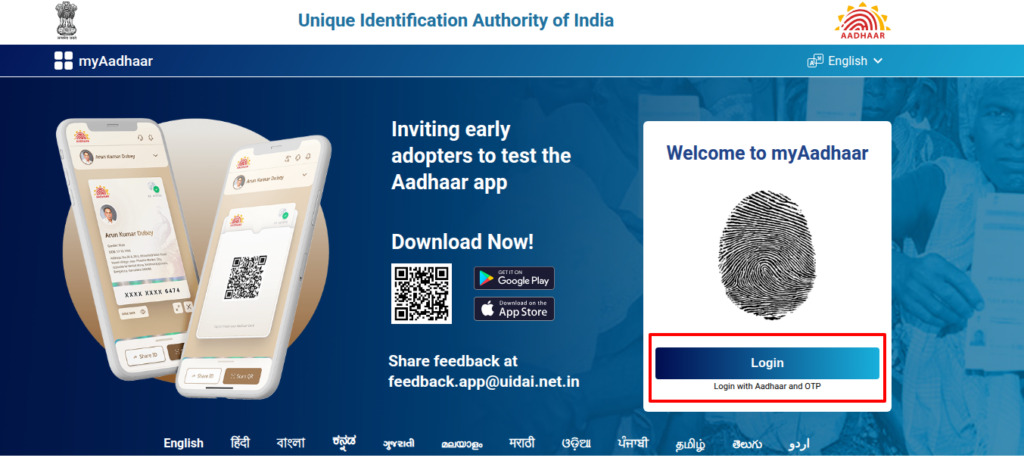
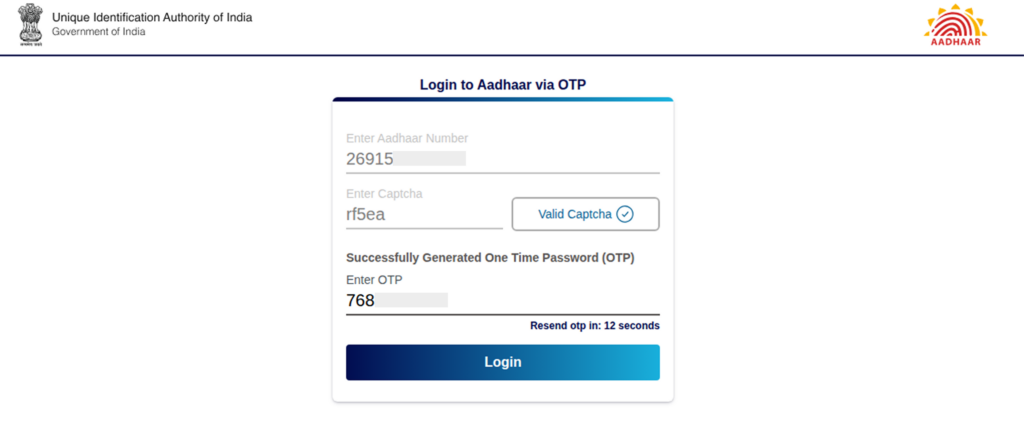
Step 2: Enter your 12-digit Aadhaar number and the captcha code shown on the screen. Click on Send OTP. Enter the OTP received on your Aadhaar-registered mobile number to log in. This process works only if your mobile number is linked with Aadhaar.
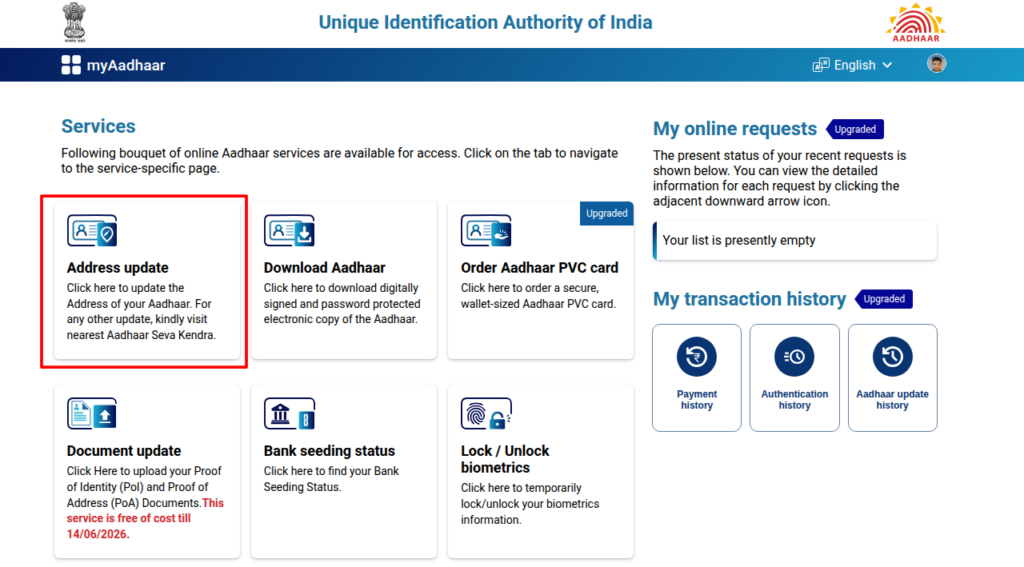
Step 3: After logging in, select Update Aadhaar Online. Choose Address as the field you want to change and proceed.
Step 4: Enter the new address exactly as mentioned in your Proof of Address document. Add care of details such as C/O, S/O, W/O, or D/O if required. Check spellings and pin code carefully before moving ahead.
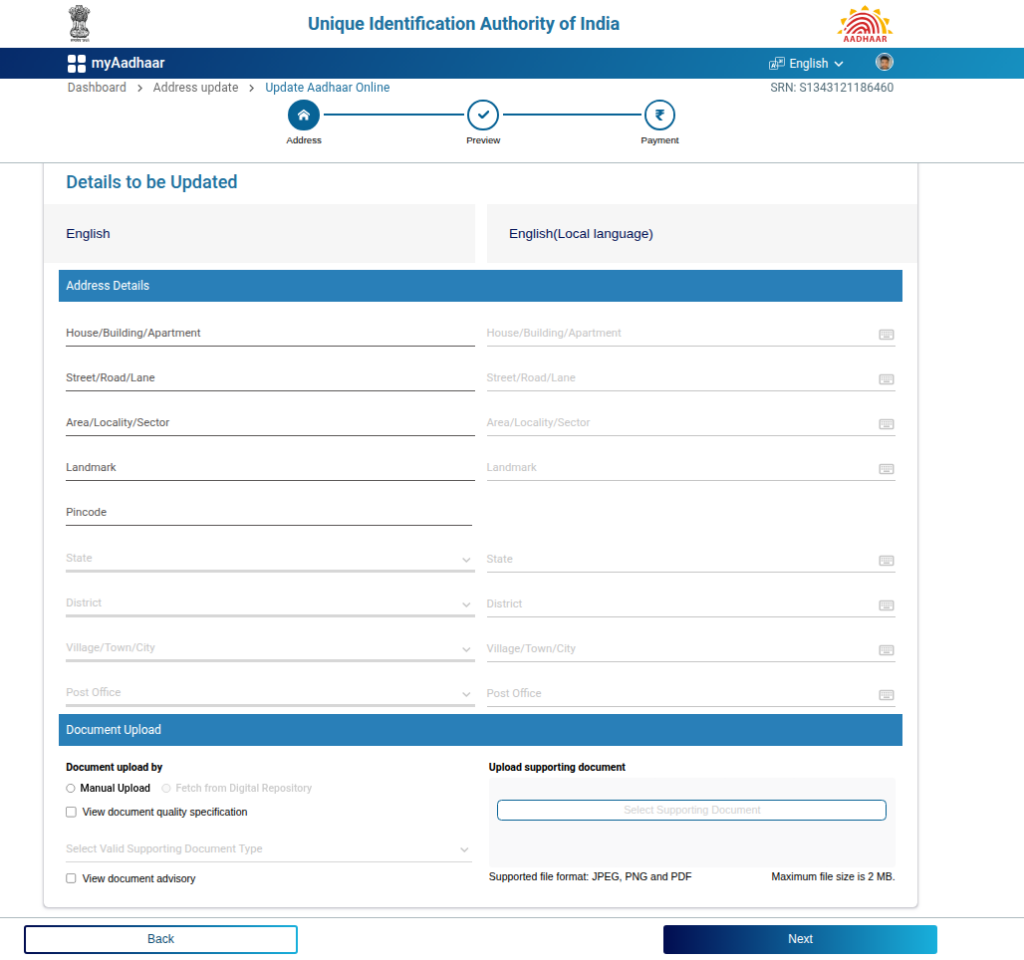
Step 5: Upload a clear copy of a valid Proof of Address document, such as a passport, voter ID, ration card, bank passbook with photo, utility bill, rent agreement, or insurance policy.
Documents like PAN card, driving licence, birth certificate, and service ID are not accepted.
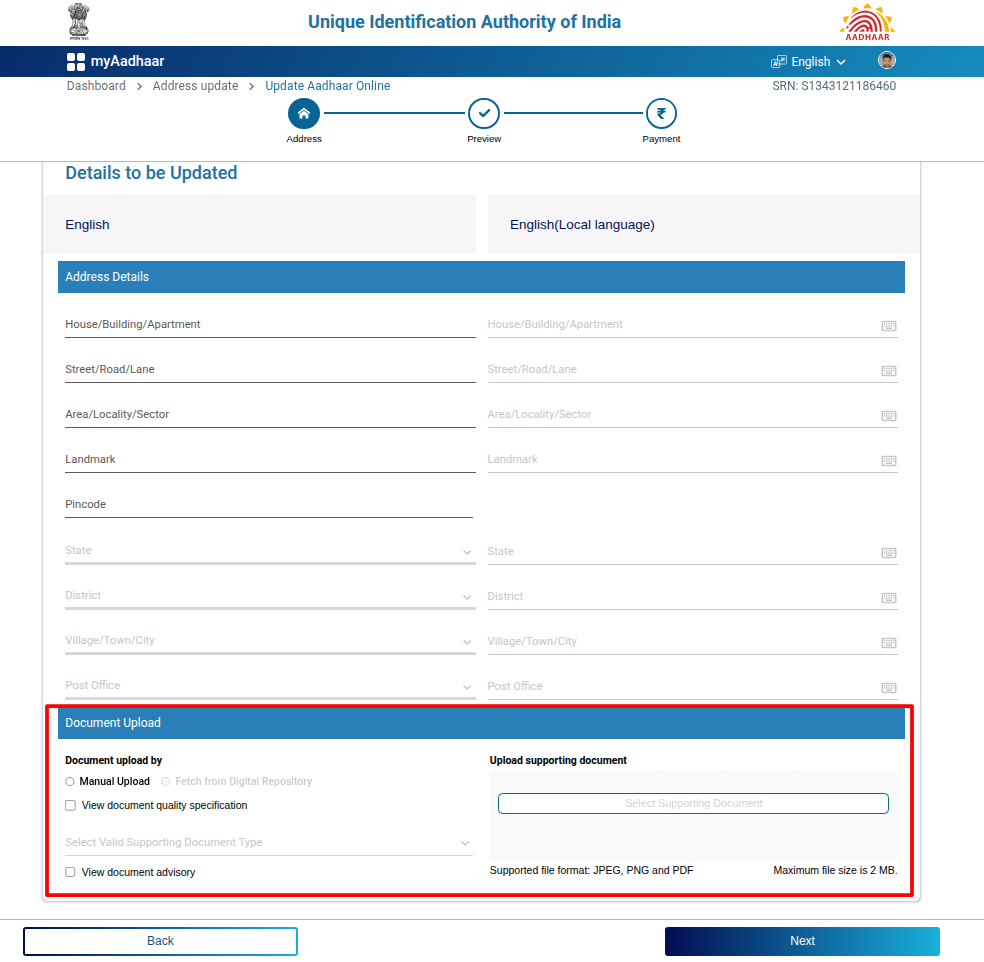
Step 6: Preview the entered details and the uploaded document carefully. Submit the request after verification.
The address update fee is currently waived, but this may change, so check the portal for the latest status.
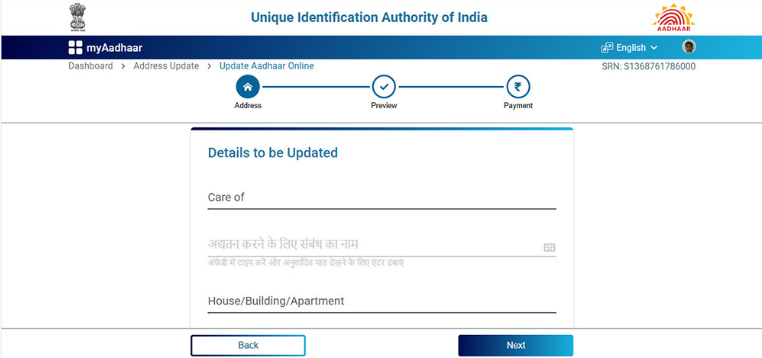
Step 7: After submission, an acknowledgement receipt will be generated with a 14-digit Update Request Number or Service Request Number.
Use this number to track the status of your Aadhaar update on the myAadhaar portal.
Step 8: The update is usually processed within a few working days, though it may take up to 30 days in some cases. Once approved, download the updated Aadhaar e-card from the portal.
Please note that online address update is possible only if your mobile number is registered with Aadhaar. If not, visit the nearest Aadhaar Seva Kendra for assistance.
How to Update Address in Aadhaar Card Offline
To update your Aadhaar address offline, you need to visit an Aadhaar Seva Kendra or authorised Aadhaar Enrolment Centre. This method is useful if your mobile number is not linked with Aadhaar or if you prefer in-person assistance.
Step 1: Visit the nearest Aadhaar Seva Kendra or Aadhaar Enrolment Centre. You can locate the centre through the UIDAI website or by enquiring at a nearby government office or bank.
Step 2: Ask for the Aadhaar Update or Correction Form at the centre.
Step 3: Fill in the form carefully with your new address details. Include Care Of details such as father’s or husband’s name if applicable. Ensure the address matches exactly with your Proof of Address document. You may also be asked to write the address in the local language.
Step 4: Submit a valid original Proof of Address document such as a passport, voter ID, bank statement, utility bill, or rent agreement. The operator will scan the document and return the original to you.
Step 5: Provide biometric verification if requested. This may include fingerprints, an iris scan, or a photograph.
Step 6: Pay the applicable fee, which is usually around fifty rupees. The amount may vary slightly, so confirm at the centre.
Step 7: Collect the acknowledgement slip provided after submission. This slip contains an Update Request Number, which can be used to track the status of your address update online.
Even though this is an offline process, you can track your Aadhaar address update status on the UIDAI website using the Update Request Number.
Aadhaar Card Address Change Proof
To update the address on an Aadhaar card, UIDAI requires a valid Proof of Address (PoA) document that clearly shows the applicant’s current residential address. The document must be genuine, readable, and accepted under UIDAI guidelines.
The complete and updated list of accepted documents is provided below for easy reference.
Aadhaar Card Address Change Documents
Here are the documents accepted for Aadhaar address change, as per UIDAI norms.
| Category | Accepted Documents |
| Government and Identity Documents | Indian Passport, Voter Identity Card, Ration Card, Driving Licence, Arms Licence, SC or ST Certificate issued by Central or State Government, Third Gender or Transgender Identity Card issued under the Transgender Persons Act, 2019 |
| Bank and Post Office Documents | Bank or Post Office passbook with photograph, stamp, and signature, Bank or Post Office account statement duly stamped and signed, Credit card statement not older than three months |
| Utility Bills (not older than three months) | Electricity bill, Water bill, Gas bill, Telephone landline bill, Postpaid mobile bill, Broadband bill |
| Property and Residence Documents | Registered sale deed, Valid rent agreement lease agreement or leave and licence agreement, Property tax receipt issued within the last one year, Domicile or Resident Certificate issued by the State Government |
| Government Scheme and Special Documents | MGNREGA or NREGS Job Card, Labour Card, Jan Aadhaar Card, Bhamashah Card, Pensioner Card, Disability ID Card |
| UIDAI and Special Category Certificates | Certificate issued in UIDAI Standard Certificate format by designated officers, Certificate issued by District Child Protection Officer or authorised Child Care Institution Form 18, Long Term Visa issued to eligible minority communities from Afghanistan Bangladesh or Pakistan, Foreign passport with approved List II address proof documents, Passport of Nepal or Bhutan nationals with approved List II address proof documents |
How to Download Aadhaar Card After Address Change
To download Aadhaar after an address change, your mobile number must be registered with Aadhaar. The downloaded e-Aadhaar will reflect the updated address once the request is approved.
Step 1: Visit the official myAadhaar portal or open the mAadhaar app on your mobile device.
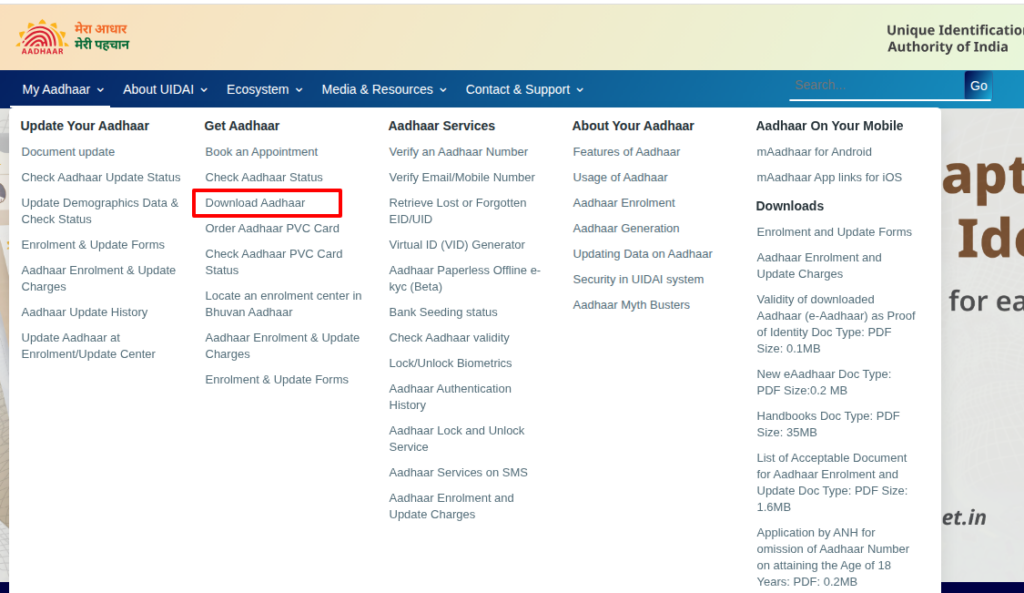
Step 2: Select the option Download Aadhaar from the homepage.
Step 3: Enter your Aadhaar number, Enrollment ID, or Virtual ID along with the captcha code shown on the screen.
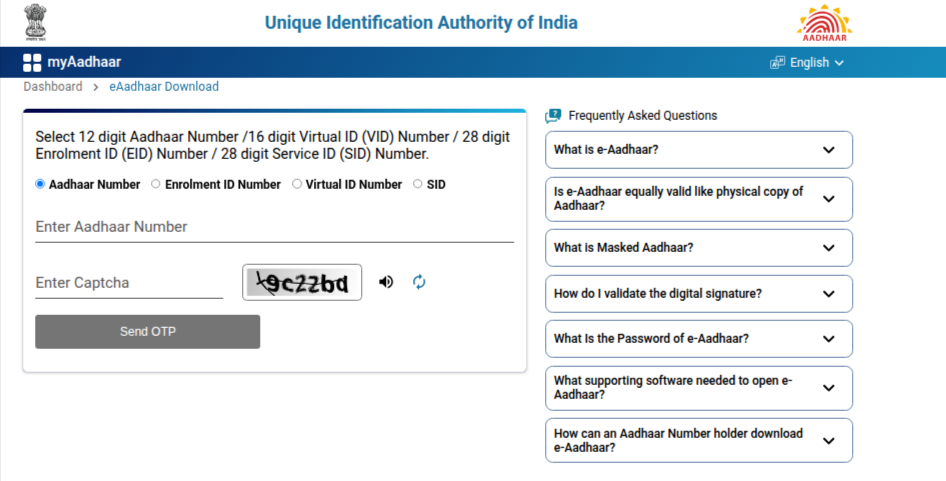
Step 4: Click on Send OTP. An OTP will be sent to your Aadhaar-registered mobile number.
Step 5: Enter the OTP and select Verify and Download. You may choose the Masked Aadhaar option if required.
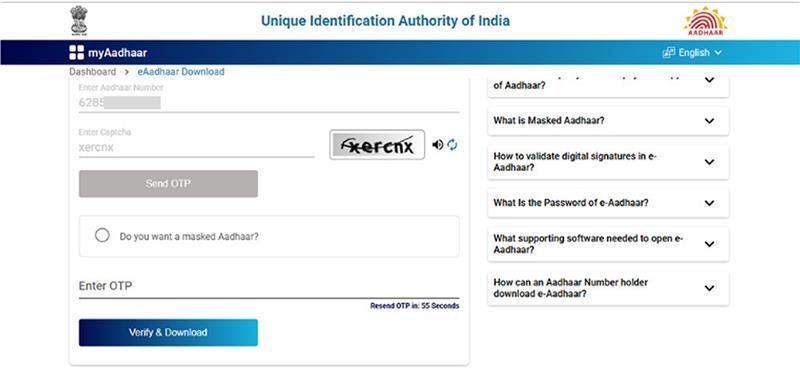
Step 6: The e-Aadhaar PDF will be downloaded to your device. Open the file using the password format: first four letters of your name in capital letters, followed by your year of birth. For example, ROHI1994.
The downloaded Aadhaar card will contain your updated address details once the address change request has been approved.
Fees for Aadhaar Card Address Change
Updating the address on an Aadhaar card involves a demographic update, for which the Unique Identification Authority of India has prescribed standard charges.
As per the latest applicable fee structure, the charges are as follows:
| Type of Update | Applicable Fee | Key Details |
| Address Change or Demographic Update | ₹75 | Applicable when the address update is done online via the myAadhaar portal or offline at an Aadhaar Seva Kendra as a standalone demographic update. |
| Address Update with Biometric Update | No separate address update fee | When the address update is combined with biometric updates such as fingerprints, iris scan, or photograph, only the biometric fee is charged. |
| Biometric Update | ₹125 | Applicable when biometric details are updated at an Aadhaar Seva Kendra or authorised update centre. |
| Home Enrolment or Update Service | ₹700 (additional) | Charged over and above the standard update or biometric fee for doorstep Aadhaar services. |
After completing your Aadhaar update, take the next important step by learning how to link your PAN card with your bank account in a few easy steps.
Disclaimer– The rankings and figures in this article have been compiled from multiple verified reports, credible news sources, and public financial data available as of 2026.
All values are approximate and may vary with newer updates, revisions, or changes in official records.
Update Address in Aadhaar Card Online and Offline- FAQs
You can update your address by logging in to the myAadhaar portal using your Aadhaar number and OTP. Upload a valid address proof, submit the request, and track it using the Service Request Number.
You can use documents like a passport, voter ID, bank passbook, ration card, or recent utility bills. The document should clearly show your full name and current address.
Updating your address online usually costs ₹50, including GST. However, document updates on the myAadhaar portal are free until June 14, 2026.
An address update usually takes up to 30 days to be processed and approved. In many cases, it gets completed earlier if documents are correct.
As per the latest guidelines, Aadhaar holders are encouraged to update their documents at least once every 10 years. All address updates now require valid proof or Head of Family consent.
No, Aadhaar updates cannot be completed in one day due to verification checks. Even online updates take a few working days to process.
You cannot receive a physical Aadhaar card in two days. However, you can download the updated e-Aadhaar soon after approval.
You can check the status on the UIDAI website using your Service Request Number. You will also receive an SMS once the update is completed.