Aadhaar Address Update Status: How to Check and Track Your Request
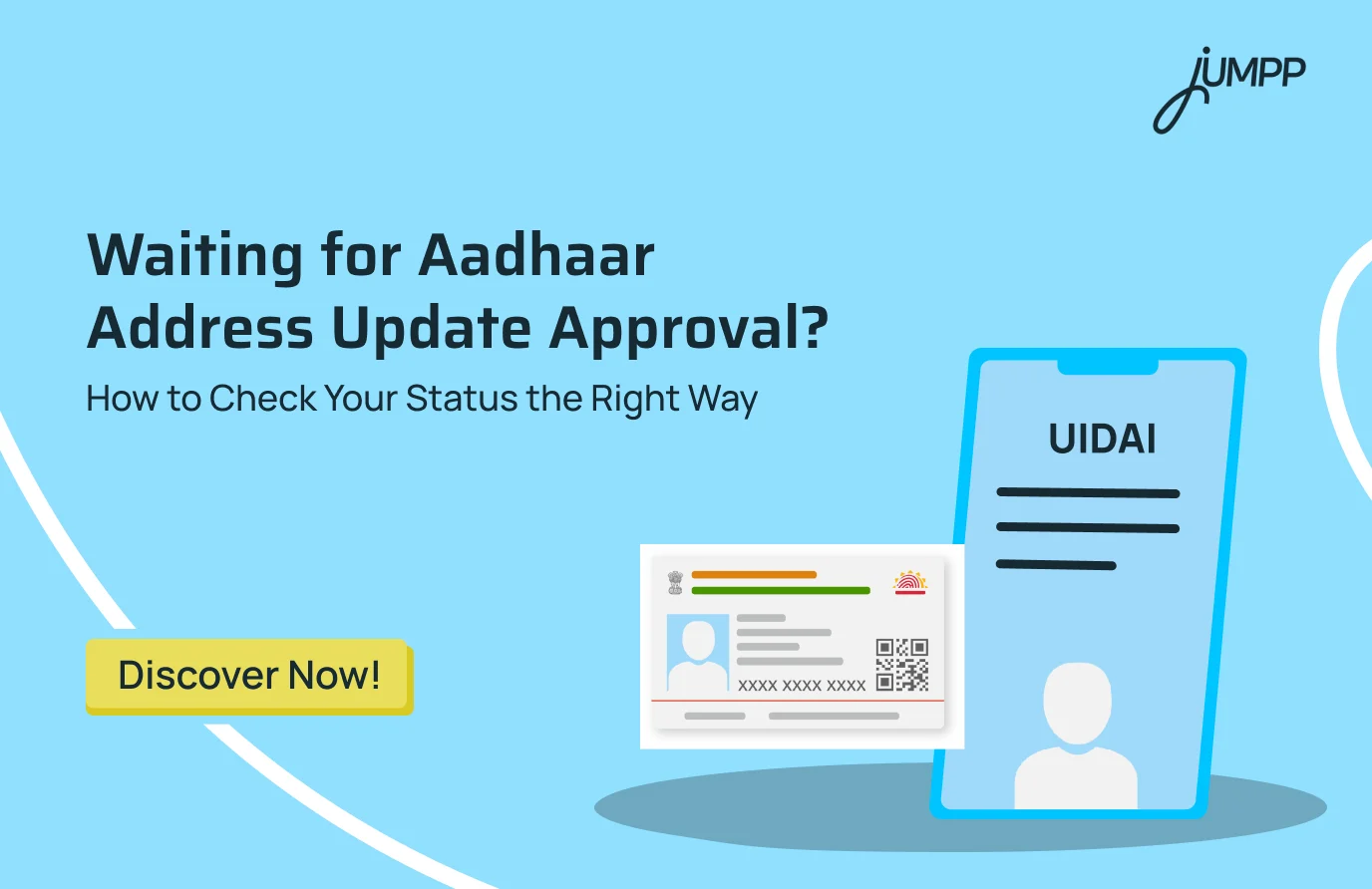
After submitting an Aadhaar address update, there is usually a long, quiet phase. No email. No dashboard notification unless you go looking. Days pass, then weeks, and the only question left is whether the request is still moving or stuck somewhere in the system. This guide explains how to check and track your Aadhaar address update status using official UIDAI platforms, and how to understand what the status message actually tells you.
How to Check Aadhaar Address Update Status (Online and Offline Methods)
Updated your Aadhaar address and waiting for confirmation?
Knowing how to check the UIDAI address update status helps you track Aadhaar address update status in real time and avoid unnecessary follow-ups.
- What is the official online portal for tracking aadhaar address update
The official platform provided by UIDAI for tracking Aadhaar address update status is the myAadhaar portal, which allows users to view real-time progress using their request details.
How to Check Aadhaar Address Update Status Online on UIDAI Website
If you want a quick and reliable way to track Aadhaar address update status, the UIDAI online portal allows you to check the UIDAI address update status from anywhere in just a few minutes.
- How can I check the status of my Aadhaar address update?
You can check the status of your Aadhaar address update by accessing the UIDAI portal and entering the Update Request Number or Service Request Number received during submission.
Here are the quick steps that you must follow:
1. Visit the official UIDAI portal at myaadhaar.uidai.gov.in and click on “Check Enrollment or Update Status.”
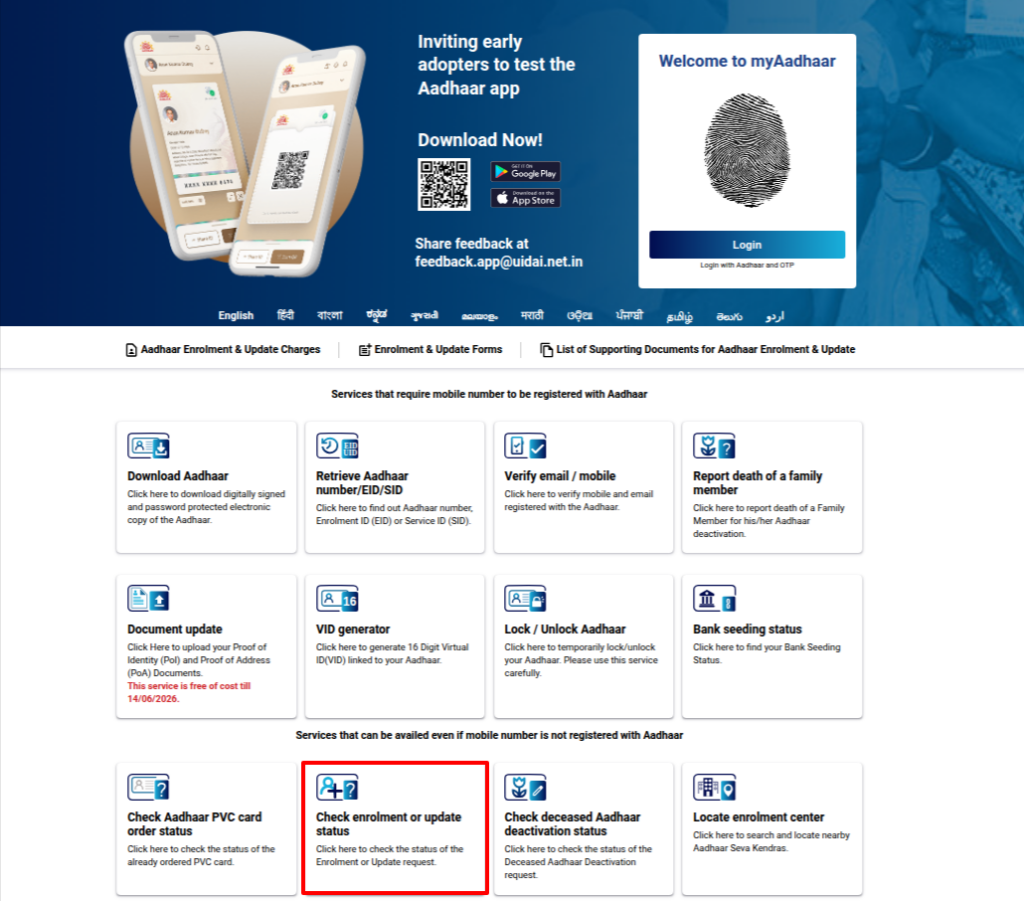
2. Log in using any one of the following details:
- Your 14-digit Enrolment number
- Your Service Request Number (SRN)
- Your Update Request Number (URN)
Then, enter the captcha code to check your Aadhaar card update status.
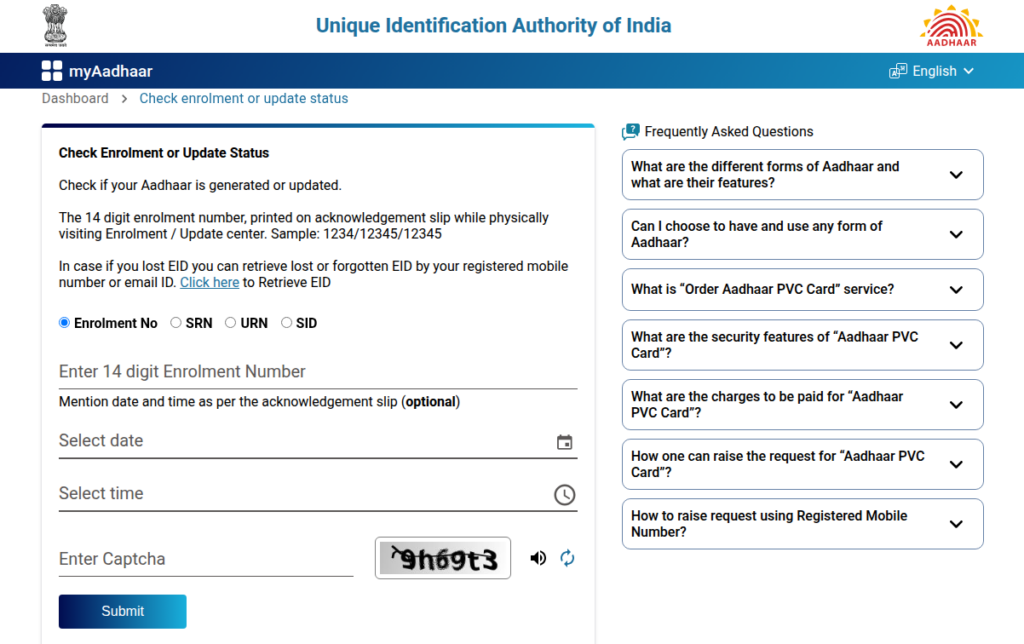
3. Your current status will be displayed as Pending, Approved, or Processed.
4. Status updates are also sent automatically via SMS to your registered mobile number.
How to Check Aadhaar Address Update Status Offline at Aadhaar Seva Kendra
When online access is limited or assistance is needed, visiting an Aadhaar Seva Kendra makes it easy to track the Aadhaar address update status and confirm the UIDAI address update status through authorised support.
- Visit the nearest Aadhaar Seva Kendra or authorised enrolment centre.
- Carry your Aadhaar card and your Service Request Number or Update Request Number.
- Bring a valid identity or address proof if required.
- The operator will verify your details and check the update status.
- If needed, biometric authentication may be done.
- The status is usually shared immediately or printed for you.
- The entire process generally takes 10 to 30 minutes.
- There is no fee for checking the update status.
How to Track Aadhaar Address Update Status
- How to check the progress of my Aadhaar address update
Tracking the progress of your Aadhaar address update helps you monitor each stage of verification until the request is approved or completed.
You can track your Aadhaar address update status online through the UIDAI website, myAadhaar portal, or official government mobile applications using your Update Request Number or Service Request Number. Tracking allows you to monitor the progress of your request, such as whether it is under processing or completed. Updates are generally reflected within 10 to 90 days, and SMS alerts are sent to the registered mobile number.
Platforms Available to Track Aadhaar Address Update Status
- UIDAI Website and myAadhaar Portal
The UIDAI website and myAadhaar portal are the primary platforms for tracking progress. By entering your 14-digit Update Request Number or Service Request Number from the acknowledgement slip, you can view the current stage of your UIDAI aadhaar address update status without resubmitting any details.
- Is there an app to check aadhaar address update
Yes, UIDAI-supported mobile applications, like mAadhaar and UMANG, allow users to track Aadhaar address update status conveniently without visiting the website repeatedly.
- mAadhaar App
The mAadhaar application is useful for users who updated their Aadhaar address at an enrolment centre. It allows tracking using the Enrolment ID or the Update Request Number and displays the same status information available on UIDAI portals.
- UMANG App
The UMANG application provides a consolidated way to track Aadhaar address update progress along with other government services. After logging in, users can view the current status under Aadhaar services without visiting separate portals.
Aadhaar Address Tracking Timeline
- Aadhaar address update status is usually updated within 10 to 90 days.
- SMS notifications are sent automatically when the status changes.
- If the status remains unchanged beyond the expected timeline, UIDAI may require additional verification.
Once your Aadhaar address update is completed, it is the right time to organise your finances properly. Reading practical personal finance books helps you understand money systems, documentation, and long-term planning with clarity and confidence.
Conclusion
Checking your Aadhaar address update status on time helps you stay ahead of documentation issues and ensures uninterrupted access to essential financial and government services. Once your address update shows as completed, the next important step is to make sure your records are aligned across systems.
Read next: How to Link PAN with Aadhaar Step by Step Online
Disclaimer– The rankings and figures in this article have been compiled from multiple verified reports, credible news sources, and public financial data available as of 2026.
All values are approximate and may vary with newer updates, revisions, or changes in official records.
Check Aadhaar Address Update Status – FAQs
You can check your myAadhaar address change status online by visiting the UIDAI myAadhaar portal and entering your Update Request Number or Service Request Number. The current status is displayed in real time, and updates are also sent via SMS.
Aadhaar address update usually takes 10 to 90 days, depending on document verification and application volume. You can track the progress at any time through the UIDAI portal, mAadhaar, or UMANG app.
As per the latest UIDAI guidelines, address updates require valid supporting documents or verification through approved digital methods. Additional checks may be conducted to ensure accuracy and authenticity.
Yes, you can update your Aadhaar address online from home through the myAadhaar portal by submitting valid address proof and completing OTP based verification. Physical visits are only required if online verification fails.